

MOPAC
Computing Applications (HPC) Apache-2.0 (Free)
About
A semi-empirical quantum chemistry program based on the NDDO approximation. It performs rapid electronic structure calculations, geometry optimizations, and reaction path analysis for much larger systems than ab initio methods can handle.
Key Features
- Methods: PM6, PM7, RM1, AM1, MNDO
- Calculations: geometry, TS, IRC, thermo
- Solvation: COSMO continuum model
- Speed: 1000x faster than DFT
Skills
MCP skills available for MOPAC, callable from AI workflows and the Paramus chat:
- Am1 Optimization — MOPAC Am1 optimization.
- Am1 Single Point — MOPAC Am1 single point.
- Capabilities — Get MOPAC capabilities and supported features.
- Cosmo — MOPAC Cosmo.
- Cosmo Optimization — MOPAC Cosmo optimization.
- Dipole — MOPAC Dipole.
- Frequencies — MOPAC vibrational frequency calculation.
- Info — Get MOPAC capabilities
- Irc Path — MOPAC Irc path.
- Methods — List all available MOPAC methods with descriptions.
- Mndo Single Point — MOPAC Mndo single point.
- Mozyme — MOPAC Mozyme.
- Optimize — MOPAC geometry optimization.
- Pm3 Single Point — MOPAC Pm3 single point.
- Pm6 Frequencies — MOPAC Pm6 frequencies.
- Pm6 Optimization — MOPAC Pm6 optimization.
- Pm6 Single Point — MOPAC Pm6 single point.
- Pm7 Frequencies — MOPAC Pm7 frequencies.
- Pm7 Optimization — MOPAC Pm7 optimization.
- Pm7 Single Point — MOPAC Pm7 single point.
- Rm1 Single Point — MOPAC Rm1 single point.
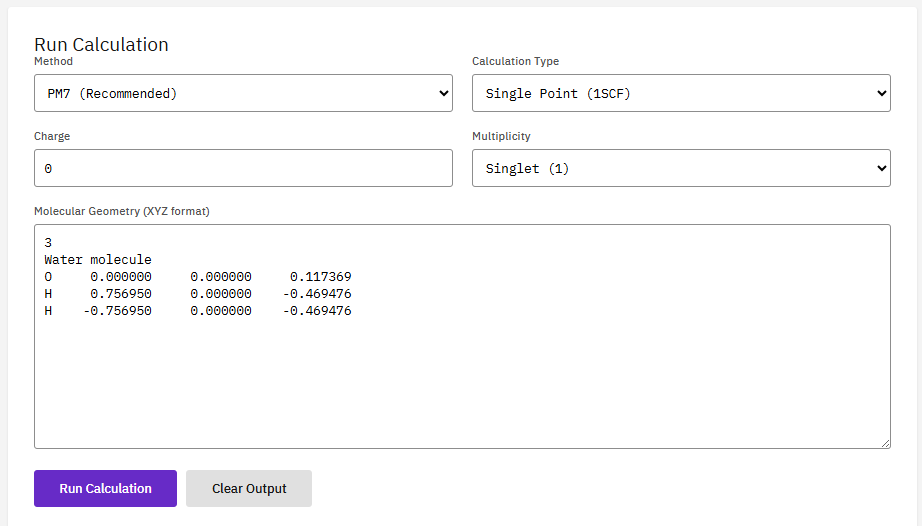
- Single Point — Run a MOPAC single-point energy calculation. Computes heat of formation, electronic energy, and molecular properties using semi-empirical quantum methods.
- Thermo — MOPAC thermochemistry analysis.
- Thermochemistry — Calculate MOPAC thermochemistry
- Ts Search — MOPAC Ts search.
- Version — Get MOPAC version information from BRAIN HPC platform.
Browse the full MOPAC skill documentation
Citation
Stewart, J.J.P. Optimization of parameters for semiempirical methods VI. J. Mol. Model. 19, 1-32 (2013). DOI:10.1007/s00894-012-1667-x
Frequently Asked Questions
What is MOPAC?
MOPAC is a computing applications (hpc) application available in the Paramus App Store. A semi-empirical quantum chemistry program based on the NDDO approximation. It performs rapid electronic structure calculations, geometry optimizations, and reaction path analysis for much larger systems than ab initio methods can handle.
Is MOPAC free to use?
Yes. MOPAC is distributed under the Apache-2.0 (Free) license and is available at no cost through the Paramus App Store.
How do I install MOPAC?
MOPAC is installed through Paramus Chemistry OS, an on-premise Windows platform for computational chemistry. Open the Paramus App Store in your local installation and select MOPAC for one-click deployment.
What are the key features of MOPAC?
Key features of MOPAC include: Methods: PM6, PM7, RM1, AM1, MNDO; Calculations: geometry, TS, IRC, thermo; Solvation: COSMO continuum model; Speed: 1000x faster than DFT.
What type of application is MOPAC?
MOPAC belongs to the “Computing Applications (HPC)” category in the Paramus App Store. It runs on Paramus Chemistry OS and can also be accessed through Paramus Cloud for supported workflows.
What platform does MOPAC run on?
MOPAC runs on Paramus Chemistry OS, a Windows-based on-premise platform that provides local compute power for demanding simulations. It requires a Paramus OS installation with appropriate hardware resources.
Can MOPAC be automated or integrated with AI workflows?
Yes. MOPAC is available as part of the Paramus ecosystem which supports MCP (Model Context Protocol) tools for AI-driven automation. This enables integration with large language models and automated research pipelines.
How should I cite MOPAC in publications?
The recommended citation for MOPAC is: Stewart, J.J.P. Optimization of parameters for semiempirical methods VI. J. Mol. Model. 19, 1-32 (2013). DOI:10.1007/s00894-012-1667-x