

ASE
Atomic Simulation Environment
Computing Applications (HPC) LGPL-2.1 (Free)
About
A set of tools for setting up, manipulating, running, visualizing, and analyzing atomistic simulations. It interfaces with many external electronic structure codes (calculators) like VASP, GPAW, Quantum ESPRESSO, and neural network potentials.
Key Features
- Calculators: VASP, GPAW, QE, ORCA, xTB
- Structure: Atoms object, ase.io readers
- Optimization: BFGS, FIRE, LBFGS
- Visualization: ase.visualize, GUI
Skills
MCP skills available for ASE, callable from AI workflows and the Paramus chat:
- Adsorption — Find adsorption sites on a surface slab and place an adsorbate (atom or molecule) at top, bridge, hollow, fcc or hcp sites, then compute the adsorption/binding energy for heterogeneous catalysis and surface science, optionally optimizing the adsorbate-surface geometry with an ASE calculator (e.g. EMT). The cleanest way to chain after brain_hpc_ase_surface is to pass the ‘artifact_id’ it returned. You may instead pass the slab inline via ‘slab’ (the surface output_content) or as a ‘slab_file’ path. Do NOT invent a filename – only use an artifact_id or path a previous step actually returned.
- Band Structure — Calculate electronic band structure along k-point path.
- Build — Build an initial atomic structure from scratch: a simple bulk crystal (fcc, bcc, hcp, diamond, rocksalt, etc.) from an element or formula and lattice constants, a molecule by name, or an arbitrary crystal from its space group, basis species and Wyckoff positions (e.g. rutile RuO2, perovskites, spinels). This is the entry point of the ASE surface/adsorption workflow when you have no input structure file: it needs no input file and returns the generated geometry as XYZ content that can be passed straight into the surface or adsorption tools.
- Capabilities — Get ASE capabilities and supported features.
- Cell Optimization — Optimize cell vectors and atomic positions.
- Constraints — Apply atomic constraints for optimization and MD.
- Diffusion — Calculate diffusion coefficient from MD trajectory.
- Dimer — Find transition state using dimer method.
- Dos — Calculate electronic density of states.
- Elastic — Calculate elastic constants and mechanical properties.
- Eos — Calculate equation of state and bulk modulus.
- Geometry Optimization — Geometry optimization (alias for optimize).
- Info — Get ASE model information (Layer 3).
- Io — Convert between atomic structure file formats.
- Md — ASE molecular dynamics simulation.
- Methods — List all available ASE methods with descriptions.
- Molecular Dynamics — Molecular dynamics simulation (alias for md).
- Neb — Nudged Elastic Band (NEB) calculation for reaction paths.
- Optimize — ASE geometry optimization.
- Phonons — Calculate phonon dispersion and thermodynamics.
- Qha Thermal Expansion — Quasi-harmonic thermal expansion: equilibrium volume V(T) and the linear and volumetric thermal-expansion coefficients of a crystal from phonons at multiple volumes.
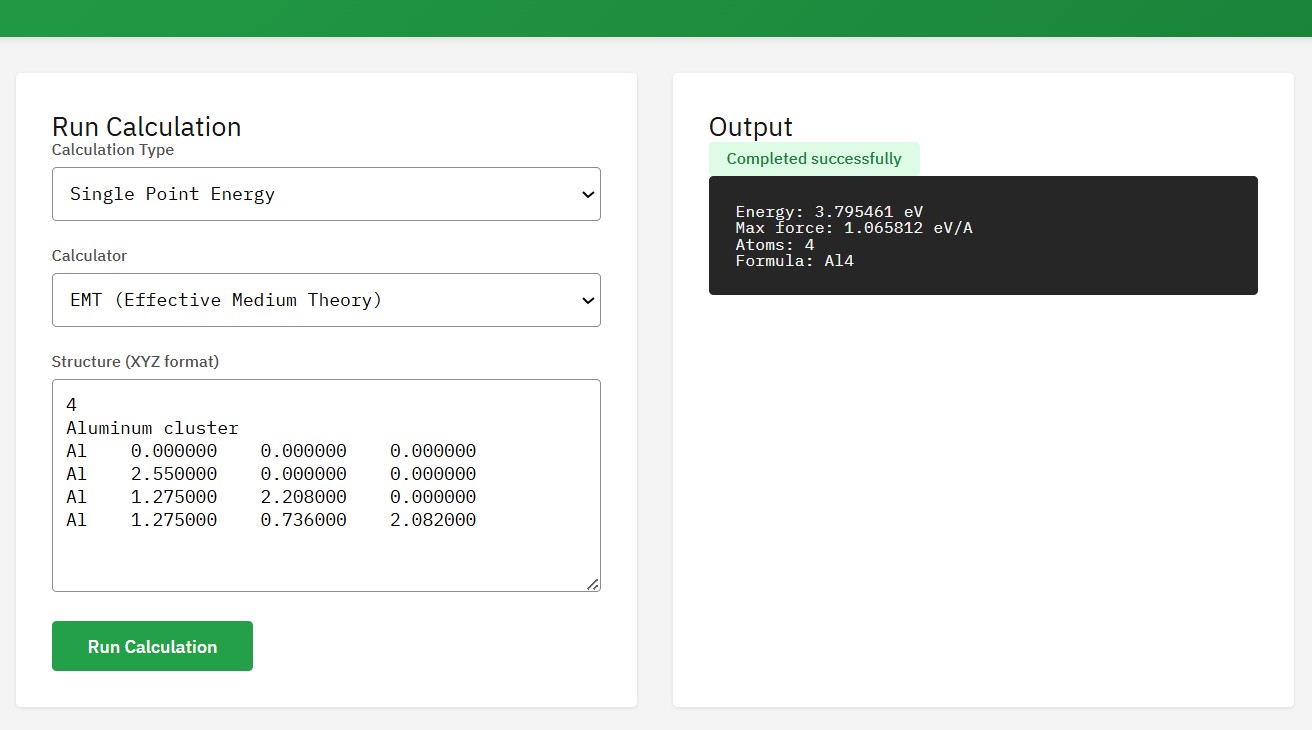
- Single Point — Run an ASE single-point energy calculation. Computes energy, forces, and stress using the specified calculator (EMT, LJ, Morse, or external DFT).
- Solid Free Energy — Harmonic/quasi-harmonic solid free energy F(T), internal energy, entropy and zero-point energy of a crystal from the phonon density of states.
- Surface — Build surface slab from a bulk structure. The cleanest way to chain after brain_hpc_ase_build is to pass the ‘artifact_id’ that build returned. You may instead pass inline ‘bulk’ XYZ content (the build output_content), or an input_file path. Do NOT invent a filename – only use an artifact_id or path that a previous step actually returned.
- Version — Get ASE version information from BRAIN HPC platform.
- Vibrations — ASE vibrational analysis (phonons).
Browse the full ASE skill documentation
Citation
Larsen, A.H. et al. The Atomic Simulation Environment – A Python library for working with atoms. J. Phys.: Condens. Matter 29, 273002 (2017). DOI:10.1088/1361-648X/aa680e
Frequently Asked Questions
What is ASE?
ASE is a computing applications (hpc) application available in the Paramus App Store. A set of tools for setting up, manipulating, running, visualizing, and analyzing atomistic simulations. It interfaces with many external electronic structure codes (calculators) like VASP, GPAW, Quantum ESPRESSO, and neural network potentials.
Is ASE free to use?
Yes. ASE is distributed under the LGPL-2.1 (Free) license and is available at no cost through the Paramus App Store.
How do I install ASE?
ASE is installed through Paramus Chemistry OS, an on-premise Windows platform for computational chemistry. Open the Paramus App Store in your local installation and select ASE for one-click deployment.
What are the key features of ASE?
Key features of ASE include: Calculators: VASP, GPAW, QE, ORCA, xTB; Structure: Atoms object, ase.io readers; Optimization: BFGS, FIRE, LBFGS; Visualization: ase.visualize, GUI.
What type of application is ASE?
ASE belongs to the “Computing Applications (HPC)” category in the Paramus App Store. It runs on Paramus Chemistry OS and can also be accessed through Paramus Cloud for supported workflows.
What platform does ASE run on?
ASE runs on Paramus Chemistry OS, a Windows-based on-premise platform that provides local compute power for demanding simulations. It requires a Paramus OS installation with appropriate hardware resources.
Can ASE be automated or integrated with AI workflows?
Yes. ASE is available as part of the Paramus ecosystem which supports MCP (Model Context Protocol) tools for AI-driven automation. This enables integration with large language models and automated research pipelines.
How should I cite ASE in publications?
The recommended citation for ASE is: Larsen, A.H. et al. The Atomic Simulation Environment – A Python library for working with atoms. J. Phys.: Condens. Matter 29, 273002 (2017). DOI:10.1088/1361-648X/aa680e