Cloud Setup
Paramus runs a hosted MCP server at cloud1.paramus.ai. It exposes the same tool catalog as the local tray app — no installation, no local dependencies. Authentication is via OAuth 2.0 or API key.
Quick Start
Claude (Pro/Team/Enterprise)
- Open Claude Settings > Integrations > Add custom integration
- Enter the MCP server URL:
https://cloud1.paramus.ai/mcp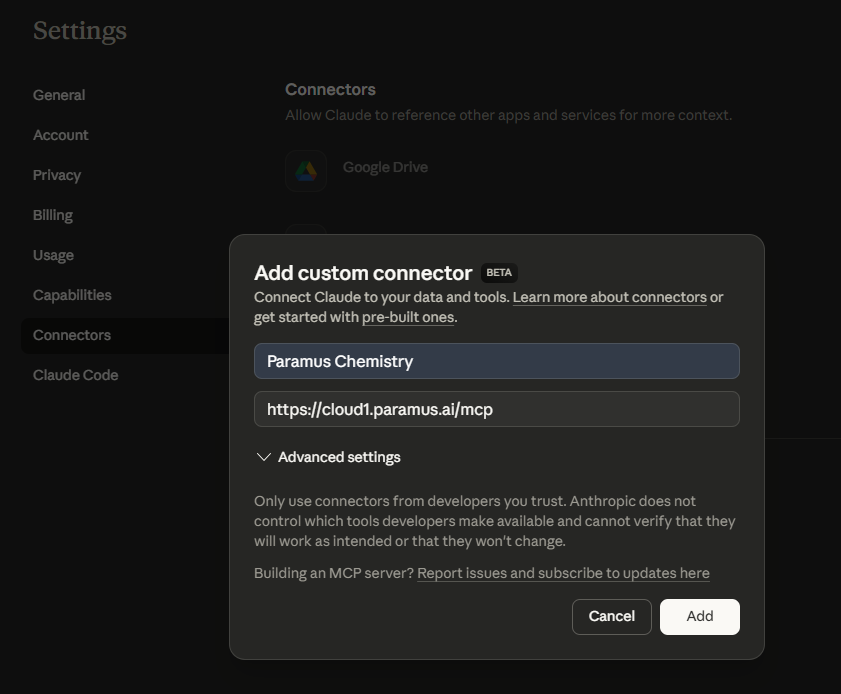
- Claude triggers the OAuth flow. Enter your API key and click Connect:
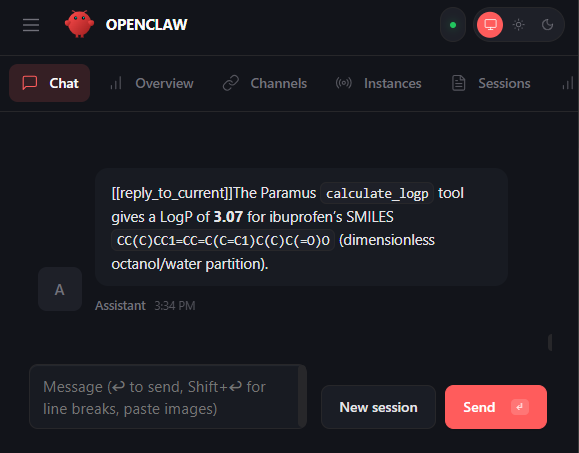
- Tools are now available. Ask naturally:
ChatGPT Desktop
- Open Settings > Developer Mode > New MCP Server
- Enter the server URL:
https://cloud1.paramus.ai/mcp - Authenticate with your API key when prompted
OpenClaw
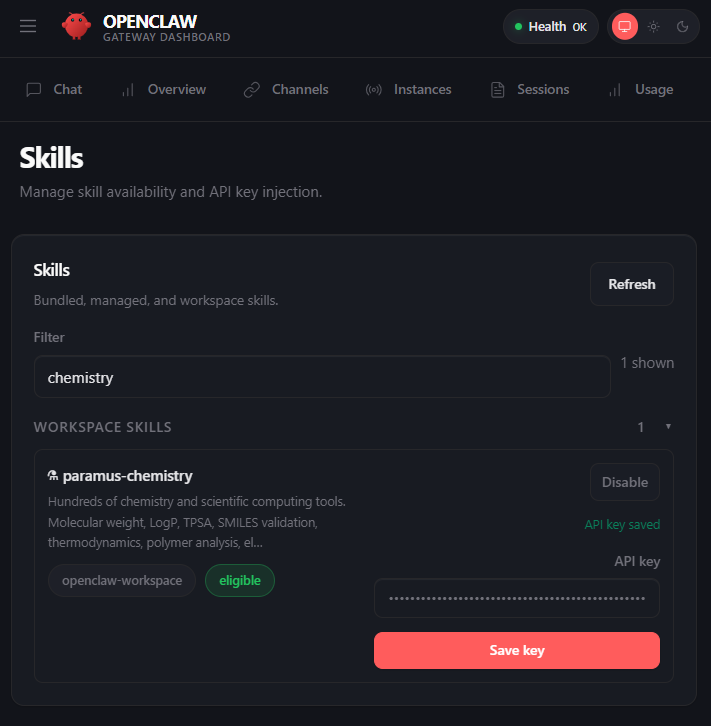
Set your API token and install the skill:
openclaw config set PARAMUS_API_TOKEN "paramus_live_XXX-XXX-XXX_your_token_here"
openclaw skill install paramus-chemistry
Get the token from your credentials card:
Run an agent:
openclaw agent --agent main --message "What is the molecular weight of aspirin?"The agent auto-detects: if a local Paramus server runs on port 8765, it uses local mode (no token needed). Otherwise it authenticates against cloud1.paramus.ai.
VS Code (Copilot) — Cloud Connection
This connects VS Code to the cloud server. For local use (no account needed, full tool catalog), install Paramus Intent MCP and see MCP Server Setup.
Add .vscode/mcp.json to your workspace:
{
  "servers": {
    "paramus-chemistry": {
      "type": "http",
      "url": "https://cloud1.paramus.ai/mcp"
    }
  }
}
VS Code will prompt for OAuth authentication on first connection.
Troubleshooting
| Problem | Solution |
|---|---|
| OAuth page does not open | Check browser popup blocker. Try the URL directly: https://cloud1.paramus.ai/oauth/authorize |
| “Invalid API key” | Keys have format XXX-XXX-XXX. Get a new one from the credentials card |
| Tools not showing | Check https://cloud1.paramus.ai/health returns OK |
| Token expired | Reconnect — OAuth tokens refresh automatically on supported clients |
| Want to use local instead | Install Paramus Intent MCP, start the tray app, point config to http://localhost:8765/mcp |
Details
Cloud vs Local
| Cloud | Local | |
|---|---|---|
| URL | https://cloud1.paramus.ai/mcp | http://localhost:8765/mcp |
| Auth | OAuth 2.0 / API key | None |
| Tools | 337 cloud tools | Full catalog including HPC |
| Data | Sent to Paramus servers | Stays on your machine |
| Install | None | Paramus Intent MCP installer |
| BRAIN/WORLD | Via network | Via network |
| Offline | No | Local tools work offline |
Authentication
The cloud server supports two auth methods:
OAuth 2.0 with PKCE (Claude, VS Code)
- Authorization Code flow with S256 challenge
- Dynamic Client Registration (RFC 7591)
- Discovery:
https://cloud1.paramus.ai/.well-known/oauth-authorization-server - No client secret needed (public client)
API Key (OpenClaw, programmatic access)
- Format:
paramus_live_XXX-XXX-XXX_... - Passed as Bearer token in Authorization header
- Get from credentials card after account creation
Endpoints
| Endpoint | Purpose |
|---|---|
/mcp | MCP Streamable HTTP (POST=JSON-RPC, GET=SSE) |
/oauth/authorize | OAuth login page |
/oauth/token | Token exchange |
/oauth/register | Dynamic client registration |
/.well-known/oauth-authorization-server | OAuth discovery |
/health | Health check (no auth) |
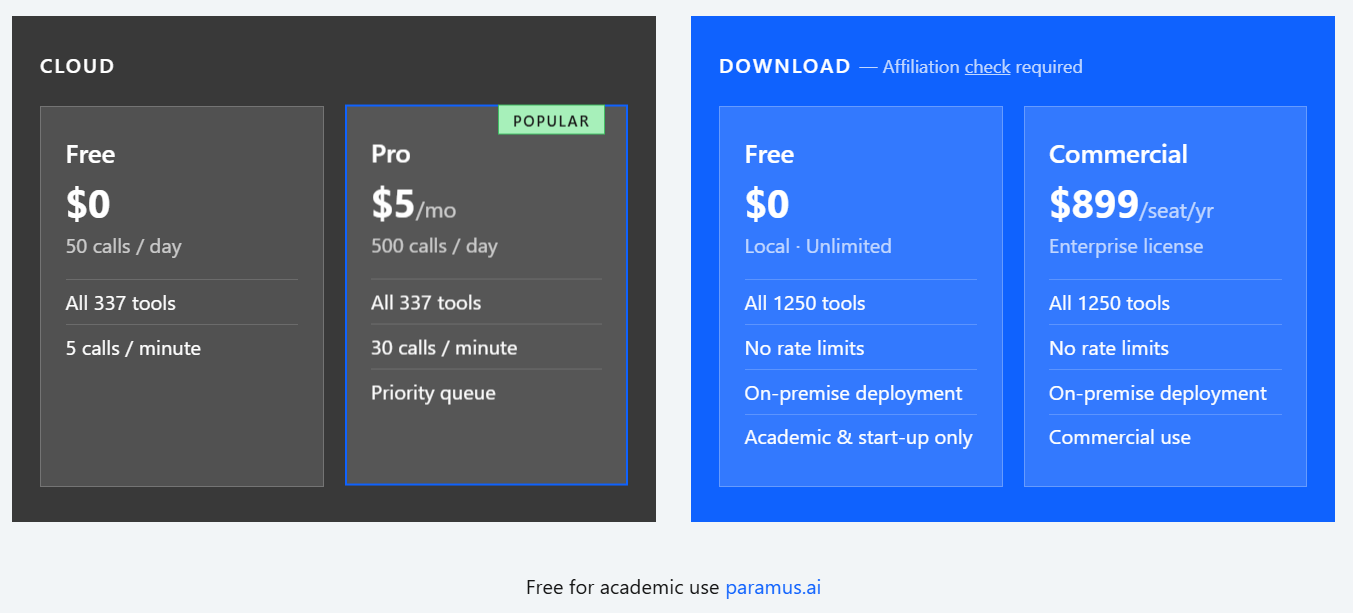
Tiers
| Free | Pro | |
|---|---|---|
| Tool calls | 50/day | 500/day |
| Price | $0 | $5/month |
| Payment | — | Stripe |
Account Creation
- Go to cloud1.paramus.ai
- Sign up with Google (via Clerk) or email
- Copy your API key from the credentials card
- Connect your AI client (see Quick Start)
Frequently Asked Questions
No. The cloud server runs hosted. Just connect your AI client and authenticate.
Yes. If you install Paramus Intent MCP locally, point your config to `localhost:8765` instead. OpenClaw auto-detects: local server takes priority when running.
Tool call parameters (SMILES strings, property names, settings) are sent to the server for computation. Results are returned to your AI client. No conversation history is stored.
BRAIN and WORLD tools are available when their backend servers are reachable from the cloud host. Some HPC-heavy tools are local-only.