
Multiwfn
Computing Applications (HPC) Freeware (Free)
About
A wavefunction analysis program. It calculates real space functions, performing population analysis, orbital composition analysis, and plotting various spectra (IR, Raman, UV-Vis) to visualize electronic structure properties.
Key Features
- Analysis: Mulliken, NBO, AIM, ELF, LOL
- Spectra: IR, Raman, UV-Vis, NMR
- Visualization: orbitals, density, ESP
- Input: Gaussian, ORCA, Molden, fchk
Skills
MCP skills available for Multiwfn, callable from AI workflows and the Paramus chat:
- Aim — Run Multiwfn Atoms in Molecules (AIM) topological analysis. Finds bond critical points, ring critical points, and characterizes chemical bonding through electron density topology.
- Bond Order — Get comprehensive usage guide for Multiwfn bond order analysis.
- Changelog — Get Multiwfn module version history and changes.
- Charge Transfer — Analyze charge transfer character of electronic excitations.
- Comprehensive — Perform comprehensive wavefunction analysis workflow.
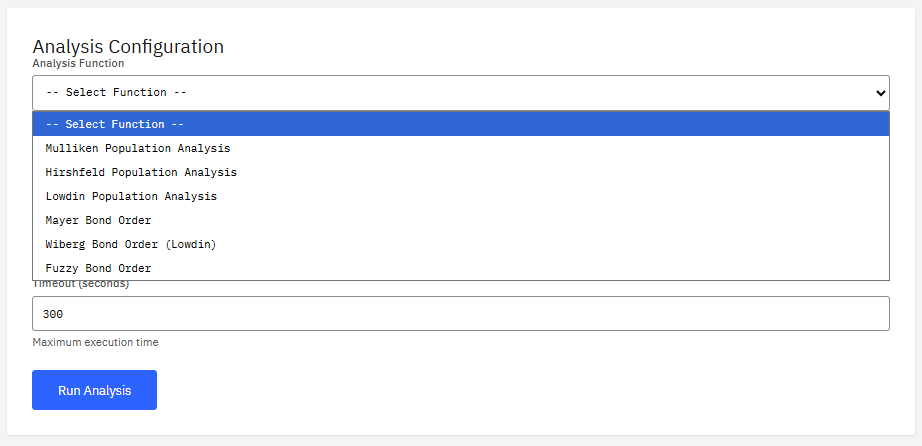
- Hirshfeld — Perform Hirshfeld population analysis on a wavefunction.
- Homo Lumo Gap — Calculate HOMO-LUMO energy gap and related orbital energies.
- Igm — Perform Independent Gradient Model (IGM) analysis.
- Igmh — Perform IGM analysis with hydrogen bond emphasis (IGMH).
- Info — Get Multiwfn module information and capabilities.
- Ir Spectrum — Calculate IR (infrared) spectrum from vibrational frequencies.
- Kernel Execute — Execute command in Multiwfn shell REPL session (v1.6.0).
- Kernel List — List active Multiwfn shell REPL sessions (v1.6.0)
- Kernel Start — Start interactive shell REPL session in Multiwfn Docker container (v1.6.0).
- Kernel Stop — Stop Multiwfn shell REPL session (v1.6.0).
- Mayer — Perform Mayer bond order analysis on a wavefunction.
- Methods — Get list of available Multiwfn methods.
- Mulliken — Perform Mulliken population analysis on a wavefunction.
- Nbo — Natural Bond Orbital (NBO) analysis.
- Nci — Perform Non-Covalent Interactions (NCI) analysis.
- Nto — Perform Natural Transition Orbital (NTO) analysis for excited states.
- Orbital Mulliken — Perform Mulliken analysis on molecular orbitals.
- Orbital Nao — Perform Natural Atomic Orbital (NAO) analysis on molecular orbitals.
- Population — Get comprehensive usage guide for Multiwfn population analysis.
- Uvvis Spectrum — Calculate UV-Vis absorption spectrum from excited state data.
- Version — Get Multiwfn program version from Docker container (v1.5.0)
- Wiberg — Perform Wiberg bond order analysis on a wavefunction.
Browse the full Multiwfn skill documentation
Citation
Lu, T.; Chen, F. Multiwfn: A multifunctional wavefunction analyzer. J. Comput. Chem. 33, 580-592 (2012). DOI:10.1002/jcc.22885
Frequently Asked Questions
What is Multiwfn?
Multiwfn is a computing applications (hpc) application available in the Paramus App Store. A wavefunction analysis program. It calculates real space functions, performing population analysis, orbital composition analysis, and plotting various spectra (IR, Raman, UV-Vis) to visualize electronic structure properties.
Is Multiwfn free to use?
Yes. Multiwfn is distributed under the Freeware (Free) license and is available at no cost through the Paramus App Store.
How do I install Multiwfn?
Multiwfn is installed through Paramus Chemistry OS, an on-premise Windows platform for computational chemistry. Open the Paramus App Store in your local installation and select Multiwfn for one-click deployment.
What are the key features of Multiwfn?
Key features of Multiwfn include: Analysis: Mulliken, NBO, AIM, ELF, LOL; Spectra: IR, Raman, UV-Vis, NMR; Visualization: orbitals, density, ESP; Input: Gaussian, ORCA, Molden, fchk.
What type of application is Multiwfn?
Multiwfn belongs to the “Computing Applications (HPC)” category in the Paramus App Store. It runs on Paramus Chemistry OS and can also be accessed through Paramus Cloud for supported workflows.
What platform does Multiwfn run on?
Multiwfn runs on Paramus Chemistry OS, a Windows-based on-premise platform that provides local compute power for demanding simulations. It requires a Paramus OS installation with appropriate hardware resources.
Can Multiwfn be automated or integrated with AI workflows?
Yes. Multiwfn is available as part of the Paramus ecosystem which supports MCP (Model Context Protocol) tools for AI-driven automation. This enables integration with large language models and automated research pipelines.
How should I cite Multiwfn in publications?
The recommended citation for Multiwfn is: Lu, T.; Chen, F. Multiwfn: A multifunctional wavefunction analyzer. J. Comput. Chem. 33, 580-592 (2012). DOI:10.1002/jcc.22885